
Rep4Rep
Get Steam comments from real people, for free
Comment on other profiles to earn points, then spend them to get comments on yours.
- comments exchanged today
- 0
- registered users
- 74k+
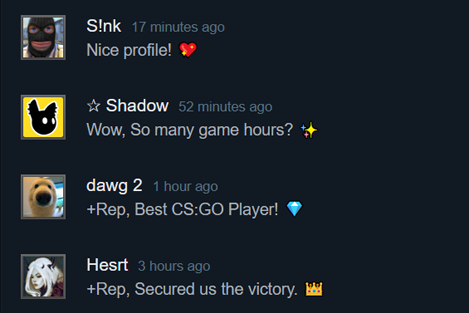
How it works
Give comments, get comments. Every comment you post earns points, and points pay for comments on your profile. No downloads and no Steam login.
-
01 Gain points
Post comments on other people's public Steam profiles to earn points.
-
02 Get comments
Spend your points, and real people leave comments on your own Steam profile.
Frequently asked questions
Can't find your answer? Visit our Support page.
Getting started
How do I get free Steam comments?
Post comments on other users' Steam profiles to earn points, then spend those points on a request. Other users then post comments on your profile.
Is Rep4Rep free?
Yes. You can earn every point by completing tasks. Point packages are optional and only save you time.
Why does my Steam profile need to be public?
Other users can only comment on a profile whose comment section is visible to everyone. Private or friends-only profiles are skipped.
Points and comments
How many points do I get per comment?
Each completed task gives you 1 point. One point pays for one comment on your own profile.
Can I choose which comments I receive?
Yes. Create a comment list with up to 100 comments, or use one of the public lists, and pick it when you create a request.
How long does a request take?
Most requests start receiving comments within minutes. Larger requests are spread out over time so the comments look natural.
Why was my comment not counted?
A task only counts when the comment is posted from the Steam profile you selected, and stays visible on the other profile.
Account and safety
Can my Steam account get banned?
Rep4Rep never asks for your Steam login and comments are posted by real people at a normal pace. Follow Steam's own rules and don't post spam or links.
Can I add more than one Steam profile?
Yes, you can add several profiles you own and switch between them for tasks and requests.
How do referrals work?
Share your referral link from the dashboard. You get bonus points when someone signs up with it and starts completing tasks.
Get your first comments today
Sign up, add your profile and complete a few tasks. It takes about five minutes.